
AI Video Generator
Aspect ratio
Video settings
Skill
This session
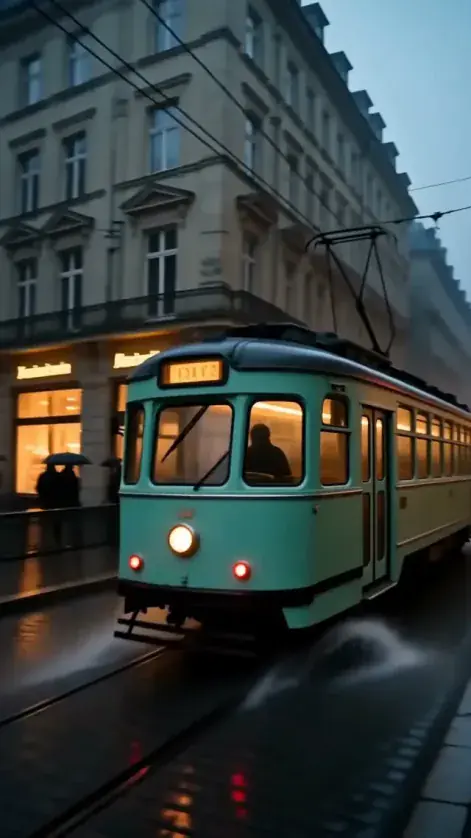 Example
Cinematic 8K urban documentary shot of a mint-green vintage tram gliding down a cobblestone street in fine dusk rain. A 35mm camera starts low on the platform as the tram arrives, wheels pushing standing water off the rails while overhead wires slide past in layers; the camera tracks alongside the body, catching passenger silhouettes through lit windows, then pulls back to a corner view revealing the whole arcade street glowing warm. Amber shop signs, blue-grey cobblestone reflections and occasional tiny blue arcs from the pantograph build depth as pedestrians step aside under umbrellas. Keep rail vibration, suspension sway and wiper rhythm believable in one continuous shot, ending as the tail lights dissolve into distant rain haze.
Browse all
AI video generator styles to explore
Pick a look and it rides along with whatever you write — your prompt stays your own words.
AI video generator: your questions answered
What can I make with this AI video generator?
Describe a subject, action and camera movement to create a short clip. Add a reference image when your chosen model supports it. Explore product reveals, atmospheric B roll or visual ideas for social posts, then preview the motion before downloading.
How do I try the AI video generator for free?
Free credits for eligible new accounts. The AI video generator shows the cost for your selected model and settings before submission; available attempts depend on that cost. Preview finished clips in This session, reuse the prompt to explore another take or download a result you like. The offer must be enabled with a positive credit amount. A usable network identity is required, and the gift is limited to once per account and network identity. Mainstream email domains such as Gmail, Outlook and iCloud qualify by default; the configured list may differ. Credits expire after the configured validity period, or do not expire if no positive period is set.
How should I describe a short shot?
Name one subject, a visible action and what the camera does. Try: “A ceramic mug stays on the table while steam rises; the camera slowly moves closer.” Add framing and light, and say what remains stable. If your edit needs several events or scene changes, generate separate shots and assemble them afterwards.
When does an image-to-video reference help?
Use a reference when the composition already exists and you mainly need motion. Choose a model that accepts an image, attach the still and describe movement rather than redesigning the subject. A fixed camera with a small action is a clear first test. Reference handling differs by model, and a photo does not guarantee identical faces, labels or geometry throughout the clip. Review the start, middle and end before deciding whether the animation fits your project.
How should I compare models and credit costs?
Check input support, aspect ratio, duration and resolution before comparing quotes. Available settings depend on the model. Start with one clip when testing an action. Additional outputs mean additional attempts, and longer or larger output may change the cost. Set a budget for experiments and leave room for the delivery settings you need. Read the total again before submitting.
Will the clip include sound and editing?
Watch the full clip and listen to its audio. Audio handling varies by model, so check the result before planning around dialogue, music or silence. Inspect faces and lettering across frames too. Download a useful take or reuse its prompt in This session. You may still need to add music, captions or cuts in an editor.